More about us

​

Dawn Sizer

CEO | 3rd Element Consulting

717-763-6800

drsizer@3rdelementconsulting.com

www.3rdelementconsulting.com

3rd Element Consulting is a Mechanicsburg, PA-based managed IT and cybersecurity provider serving privately owned businesses (25 to 250 employees) across Central Pennsylvania and nationwide. We manage IT to a documented standards baseline, not flat-rate guesswork, covering managed IT, cybersecurity, governance and compliance, cyber insurance readiness, Microsoft 365 and cloud, AI readiness and governance, and virtual CIO services. We work across industries including law firms, accounting and financial services, healthcare, manufacturing, logistics, and multi-location businesses. Our team undergoes recurring FBI background checks as part of our CJIS compliance work, and 3rd Element was named to CRN's 2026 MSP 500 list in the Security 100 category.

  • Business Type
  • MSP (Managed Service Provider)
  • Solution Types
  • Cyber Security
  • Cloud Solutions
  • Hybrid Cloud Solutions
  • On prem devices Storage and Servers
  • Cloud Solutions
  • Azure
  • Industries Supported
  • Manufacturing
  • Agriculture
  • Retail/Hospitality
  • Construction
  • Government
  • Healthcare/Pharma
  • Legal/Accounting

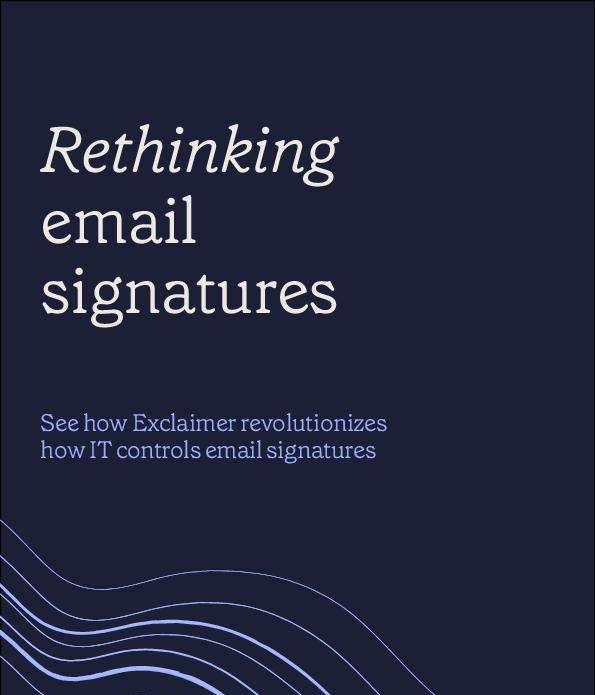
Rethinking email signatures

In today's rapidly evolving digital landscape, IT teams continuously grapple with the challenge of managing company email signatures effectively. The eBook, 'Rethinking Email Signatures with Exclaimer,' illuminates a more efficient and less labor-intensive approach to this often-overlooked task. Traditional email signature management methods are notoriously time-consuming and costly, but Exclaimer streamlines the process with a centralized management system. This insightful eBook reveals how Exclaimer can address common IT challenges, such as inconsistent rendering across different devices and the tedious nature of manual updates. Key benefits include preventing signature stacking, ensuring complete and accurate contact details, and seamless integration with both cloud and on-premises environments. With Exclaimer, marketing teams gain control over the design and messaging of signatures, promoting brand consistency and compliance, while IT teams can shift their focus to strategic initiatives, confident in the reliability of the signature management system. is here to guide you through the implementation process, helping you optimize your email signatures and maintain your company's professional image.

Introducing Copilot in Windows 11, new AI tools, and more

The best Windows ever is getting even better with brand new ways to make the everyday easier. With nearly 200 new features, the new Windows 11 update is one of Microsoft's most ambitious yet, bringing the power of Copilot and new AI powered experiences to apps like Paint, Photos and Clipchamp right to your Windows PC. Enjoy smart, seamless ways to be more creative, productive and connected with answers and results that are personalized for you. Getting things done is now easier than you ever thought possible. And thanks to Windows Backup, making the move to Windows 11 is also easier than ever before. Watch the video.

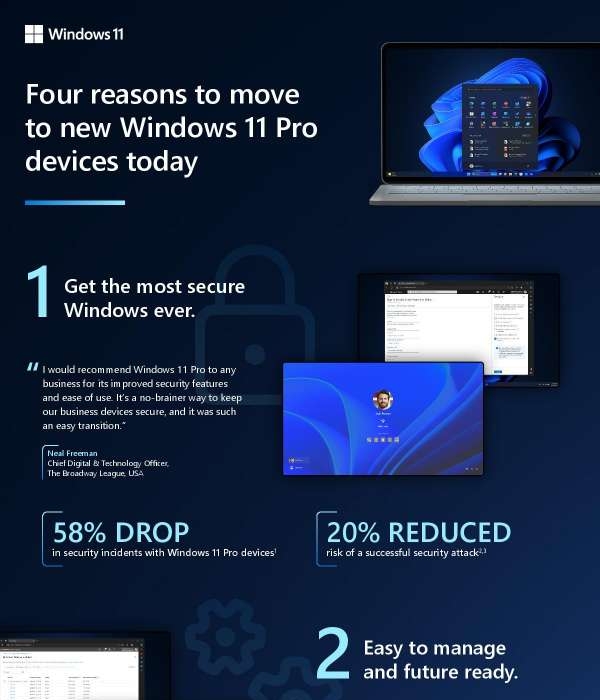
4 reasons to move to new Windows 11 Pro devices today

With 50% faster workflows, 50% fewer security incidents, 25% faster deployment and a 20% increase in productivity, it's not surprising that Microsoft's Windows 11 Pro devices have an average 250% ROI. Download this infographic and discover four reasons to adopt Windows 11 Pro tablets and laptops for your enterprise.

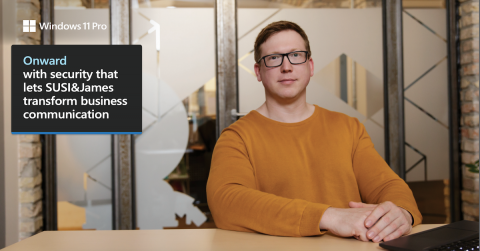
Onward with security that lets SUSI&James transform business communication

SUSI&James, a German maker of AI-powered voice assistants, naturally worries about security, especially in an era of rising cyber threats. For Julian Gerhard, Chief Technology Officer, the security provided by Windows 11 Pro devices help to greatly mitigate those risks. With security by default, he spends less time responding to threats and more time enabling employees and innovation. Read SUSI&James' story to benefit from lessons learned. 👉

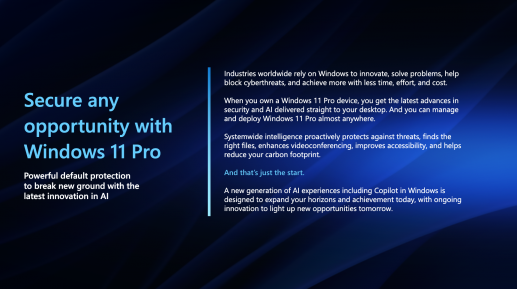
Seizing opportunity in changing times

Organizations in industries worldwide rely on Windows to innovate, solve problems, block cyberthreats and do more with less time, effort and cost. How can you secure any opportunity with @Windows 11 Pro? View this infographic for an at-a-glance.

Leverage the right tech to mitigate human error

Cybercriminals have become exceptionally deft at leveraging social engineering tactics to breach cyber defenses and wreak havoc on organizations. Book a free consultation to discover how our newest cybersecurity solution mitigates the human error culprit.

Copilot for Microsoft 365 | Work On

Copilot is here! Watch this Microsoft video to meet your highly capable, always-available, dot-connecting data chaser. Copilot for Microsoft 365 combines the power of large language models, web search, and your data in Microsoft 365 applications.

Copilot in Excel | Be more analytical

Working with Excel usually requires knowledge of formulas and chart creation, in addition to the time needed to look for insights in the data. Copilot in Excel can do much of that work for you, through natural language commands. Watch the video to see how it works.

Copilot in PowerPoint: Tell Impactful Stories

PowerPoint presentations are an effective way to convey a message, whether it's the results of a study or the outlines of a new marketing campaign. But to be successful, it requires good organization, clear messaging and thoughtful graphics. Microsoft Copilot in PowerPoint can help users create winning presentations with information, editing advice, and even original copy. Get an overview of what Copilot in PowerPoint can do in this video.

Up your storytelling with Microsoft Copilot and PowerPoint.

Copilot in Outlook | Manage your inbox

Copilot in Outlook can help you stay on top of your inbox with features to help you summarize conversations, transform notes into emails and follow up on actions faster, with less effort. Learn about Copilot in Outlook in this Microsoft video.

Frequently asked questions about Copilot in Microsoft Teams

Copilot for Microsoft Teams can help organize your work in a wide variety of ways. Enabled by AI, Copilot can summarize meeting discussion points, generate answers based on chat histories, and other useful functions. It's like your private meetings assistant. Get the inside scoop on Copilot for Teams in this FAQ.

Copilot in Word | Enhance Your Writing and Design

Copilot in Word transforms every part of the creative process, from developing and editing copy to reworking it for different purposes. Copilot helps you draft briefs speeches, sales letters and marketing copy. Now integrated with Microsoft Designer, Copilot helps you to effortlessly incorporate custom graphics into your document. Watch this video for a demonstration of the ways that Copilot helps you be more creative.

Accomplish more in less time

Start creating and get results quickly with Microsoft 365 and Copilot, your AI work assistant. Watch this video to learn what Copilot can do to help you land more sales, create innovative content and gain insights faster.